CUSTOM CIRCLE & SQUARE DESIGNS
String Art Pattern Generator
Upload an image or try the example, choose the frame and detail, and generate a custom pattern on this page.
CUSTOM CIRCLE & SQUARE DESIGNS
Tune a Circle or Square Pattern
Create a thread pattern from your own image instead of tracing a fixed template. Control the frame, number of pins, thread count, opacity, and line width, then export the result.
No preset required. The pattern is generated from your image.
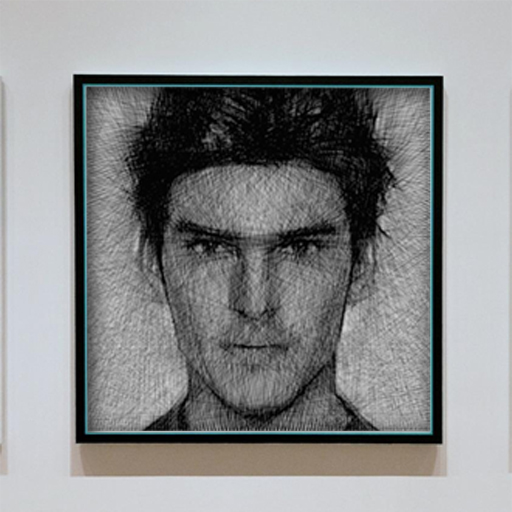
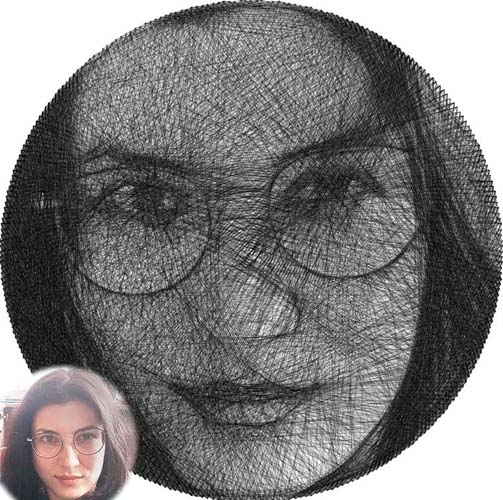
Make a custom string art pattern in four steps
A useful pattern combines a recognizable source image with settings that match the physical size and level of detail you want to build.
1. Prepare the image
Crop out distracting background details and increase contrast. A bold subject produces a cleaner pattern than a scene with many small objects.
2. Choose the frame
Circle frames distribute pins evenly around one continuous edge. Square frames preserve more of the image corners and suit rectangular compositions.
3. Balance pins and threads
Pins control possible anchor positions. Threads control accumulated shading. Increase them gradually so you can see which setting actually improves the result.
4. Preview and export
Use PNG as a visual pattern, TXT as an ordered winding list, or JSON when you need the precise pin and line coordinates.
What each pattern control changes
| Control | What it changes | Good starting point |
|---|---|---|
| Canvas size | Digital preview resolution | 500 px |
| Pins | Available anchor locations | 250–300 |
| Threads | Density and tonal detail | 4,000–5,000 |
| Opacity | Darkness added by each line | 0.10 |
| Line width | Visual weight of each thread | 0.8 px |
Circle vs. square patterns
Choose circle for portraits, centered symbols, and classic radial designs. Choose square when the corners contain useful detail or the final board needs a rectangular edge.
Changing the frame changes every pin position, so generate a fresh pattern and fresh instructions after switching shapes.
Pattern export formats
- ✓ PNG: visual reference or digital artwork
- ✓ TXT: ordered nail connection instructions
- ✓ JSON: frame, pins, coordinates, and lines
String art pattern FAQ
Can I generate a pattern from my own picture?
Yes. Upload a common image file and the tool uses its light and dark areas to calculate a custom thread path.
Is this a printable preset library?
No. This page is for generating an original pattern from your image. Export the PNG if you need a visual reference for the design.
How much detail should I use?
Start around 250–300 pins and 4,000–5,000 threads. Increase detail only when the preview shows a meaningful improvement.
Generate a pattern from your image
Choose a frame, tune the detail, and export a pattern you can use for a real thread art project.
Use the Pattern Generator Above